| |||||||||||||||
|
General FAQ's
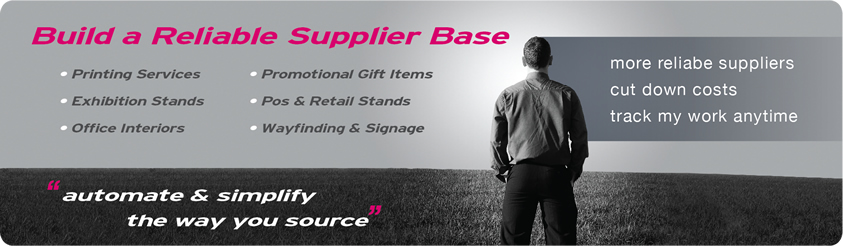
Who are buyers / Why should I register as a buyer?Any organization that relies heavily on branding and marketing activities should use BidnPrint to simplify the entire procurement process. BidnPrint allows you to get access to our reliable supplier network on a global platform while being able to track and manage all marketing expenses of your organization - anytime, anywhere. Find suppliers on BidnPrint.com for the following activities
Did you know that buyers can interact with suppliers, get quotes and award orders using our online procurement portal? And all this comes absolutely FREE!! How do I benefit as a buyer?
Work with Reliable Suppliers: Just as you would invite your trusted suppliers to join our network, other buyers too will also invite theirs. As a result, you will get access to an extensive range of reliable suppliers. Anytime Anywhere Work Flexibility: Eliminate the need for employees to be at their office in order to meet work targets. Identify Cost Saving Opportunities: E-sourcing ensures competitive rates from all suppliers. Attain huge cost savings from 10 % to 35% on your annual procurement cost. Build a Strong & Reliable Supplier Base: Do business with local and global suppliers who were referred by other buyers on our network. See supplier tagged status to see how popular they are with buyers. Save on Time: Reduce your time & effort by 50% to 75% as networking on BidnPrint does not demand phone calls, emails and/or faxes to find, chase or get quotes from multiple suppliers. Easy Communication Process: Simple and easy way to respond to all participating suppliers without having to send custom e-mails. Increase Transparency: Eliminate any unethical practices conducted by staff or suppliers as the entire process of procurement becomes completely transparent. Track & Monitor Expenses: Monthly expense reports allow management to better analyze spending patterns and identify weak links in their supply chain. Reduce Procurement Cycle: Automating the task of your employees will significantly cut down the time taken to negotiate and procure the goods & services required by your company. Who are Suppliers?Any organization that provides below-the-line services or does business in one or more of the activities mentioned should registered as a supplier on BidnPrint.
How does BidnPrint work for buyers?
It's that simple!!!! Who are Corporate / Freelancers?BidnPrint.com strives at its best to ensure that all orders posted on the site are legitimate and to achieve this, we have divided buyers into two types:
Why should buyers tag suppliers on BidnPrint?By tagging a supplier, the buyer states that the supplier is reliable and can be recommended to other buyers on the BidnPrint network. In addition, tagged suppliers are NOT charged any fee by BidnPrint for bidding on orders posted by the buyer who has tagged them. How do I tag a supplier?
What is a Request for Quote or RFQ?Request for Quote (RFQ): If you wish to post an order having only one item for suppliers to bid upon, then use RFQ. Note: In RFQ, you have the option of adding additional quantities for the same item that suppliers can then bid upon. What is a Request for Tender or RFT?Request for Tender (RFT): If you wish to post an order having multiple items for suppliers to bid upon, then use RFT. Note: In RFT, suppliers will post bids for the entire project order. If you require cost breakups, then you must mention that in your brief for that order. What are comments?It is a mode of communication where buyers and suppliers can exchange queries and answers regarding any order posted by the buyer. All comments can be viewed without bias by all participating suppliers and the buyer who posted the order. Why post a testimonial?If you wish to share your views about BidnPrint and how the site has helped in enhancing your business, then you may do so by writing a testimonial in the "Post a Testimonial" section. Membership & Account
How do I register as a Buyer?
Is there any fee for Buyers to join BidnPrint?No! Registering an account on BidnPrint.com and posting your orders on our website are absolutely FREE!!!! What is the significance of categories?Every supplier is specialized in a particular category within their respective field of work. Each of them will have a unique approach in executing an order of a particular category, thereby being more efficient and cost effective than others. By having categories, buyers can get the best rates for the service they require from the suppliers. Why should I provide my business trade license to BidnPrint?We need you business trade license to validate if your organization is genuine and legal to carry out operations under the laws and regulations of your respective country. Your business license will be the basis on which every supplier on our network will decide whether to work with your organization or not. Posting an Order & Awarding
How do I post an order?
What is a Request for Quote or RFQ?Request for Quote (RFQ): If you wish to post an order having only one item for suppliers to bid upon, then use RFQ. Note: In RFQ, you have the option of adding additional quantities for the same item that suppliers can then bid upon. What is a Request for Tender or RFT?Request for Tender (RFT): If you wish to post an order having multiple items for suppliers to bid upon, then use RFT. Note: In RFT, suppliers will post bids for the entire project order. If you require cost breakups, then you must mention that in your brief for that order. What is the difference between 'Date of Delivery' & 'Bid Closing Date'?
Bid Closing Date refers to the closing date after which no supplier will be able to bid for that particular job unless the buyer wishes to extend it. What is supplier preference?It is an option where you can select:
Who are Tagged Suppliers?Buyers on BidnPrint have the option of tagging any of their regular suppliers as favorites once the supplier(s) has registered on our network. If their regular suppliers are not on our network, then they can invite them to join BidnPrint and then tag them as a favorite. By tagging a supplier, the buyer states that the supplier is reliable and can be recommended to other buyers on the BidnPrint network. In addition, tagged suppliers are NOT charged any fee by BidnPrint for bidding on orders posted by the buyer who has tagged them. How do I tag a supplier?
How do I post an order with only my tagged/favorite suppliers being able to view and bid on it?
How do I view an order posted by me?Go to the "Active Bids" section to view all orders that you have already posted. Just click on the order title to view details of a particular order. How do I view bids from suppliers on my order?
How do I change the bid closing date or date of delivery once I have posted an order?
How do I change order information and other details once I have posted an order?You can either post a comment on the order and all suppliers will be able to view and re-bid on the order as per the new specifications. OR you can use the update function to make changes on the order. To update an order, follow the steps below:
Note: When you update an order, all previous bids posted by any supplier will be completely deleted. How do I delete an order once I have posted it?
What are Order Related Files?An Order Related File would be any document, artwork or image that has been attached to a particular order by the buyer in order to assist suppliers in quoting for that order. How do I award an order to one of the participating suppliers?
Where can I see the orders that I have awarded?Orders that you have awarded to any supplier can be viewed in the "Awarded Bids" section. How do I pay a supplier for their services?You can pay the supplier as per the payment terms agreed between you and the supplier. Communication with Suppliers
How do I clarify my doubts regarding an order with the supplier?You can communicate with suppliers regarding any queries or doubts that you may have by posting a comment on that order. How do I post a comment?
OR
How do I communicate any changes in the order with all suppliers participating in the bid?Comments that you have posted on any order can be viewed by all suppliers participating in the bid. If you have any changes in the order, you can post it in the comments section and all suppliers can re-bid on the order as per the new specifications. Who can see comments posted by me?Comments that you have posted on any order can be viewed by all suppliers participating in the bid. Can comments posted by a supplier be viewed by other suppliers participating in the bid?Yes, all comments posted by you and any supplier can be viewed by all others participating in the bid. Can I contact the supplier directly?You can contact any supplier directly. Just click on the supplier's company name and all the contact details of that supplier will be available to you. However, we encourage you to use the comments board to communicate as this would help other participating suppliers to bid on any order in an unbiased manner. How do I contact the supplier to whom I have awarded an order?If you have awarded an order to a supplier, then the respective contact information will be available for view in the "Awarded Bids" section.
Note: Similarly your contact details shall also be available to the supplier to whom you have awarded the order. Dispute & Problem with Suppliers
Is BidnPrint.com responsible for any dispute that may arise with a supplier?No! Bidnprint.com shall not be held responsible for any disputes (payment related & others) that may arise with the supplier. We are just a facilitator that brings both parties together on a common platform. Any decision to engage in business with a supplier on our network is solely the choice of the buyer (i.e. you). I have paid the supplier for an order and they failed to deliver it?Bidnprint.com shall not be held responsible for any disputes (payment related & others) that may arise with the supplier. However, you can report / blacklist a supplier for failing to deliver an order as per the terms and conditions agreed upon. If a supplier is reported by 5 or more buyers on our network for such disputes, then we shall blacklist that supplier and this shall be visible to all other buyers on our network. A history of such disputes can also lead to suspension of that supplier's account. Who are blacklisted suppliers?A list of suppliers who have been blocked by 5 or more buyers on our network for any unethical trade practices are know as blacklisted suppliers. Why blacklist a supplier?It is a system that helps all buyers to differentiate and identify suppliers who have conducted dishonest trade practices with 5 or more buyers on our network. If a supplier is reported by 5 or more buyers on our network for dishonest trade practices, then we shall blacklist this supplier and this shall be visible to all other buyers on our network. A history of such disputes can also lead to suspension of that supplier's account. Can a supplier also blacklist a buyer?Yes! If the buyer takes advantage of any supplier on our network by resorting to any type of dishonest trade practices, then the buyer can be blacklisted by the supplier. Will all suppliers know if I am blacklisted?If a buyer is reported by 5 or more suppliers on our network for any dishonest trade practices, then we shall blacklist that buyer and this shall be visible to all other suppliers on our network. A history of such disputes can also lead to suspension of that buyer's account. General FAQ's
Who are suppliers / Why should I register as a supplier?Any organization that provides below-the-line services or does business in one or more of the activities mentioned below should register as a supplier on BidnPrint:
Did you know suppliers can interact directly with decision makers without going through the hassle of making numerous cold calls or email shots? Start generating new leads and grow your business globally using BidnPrint! How do I benefit as a supplier?
Who are buyers?Any Organization that relies heavily on branding and marketing activities should use BidnPrint to simplify the entire procurement process. BidnPrint allows you to get access to our reliable supplier network on a global platform while being able to track and manage all marketing expenses of your organization - anytime, anywhere. Potential buyers on BidnPrint consist of the following types of organizations:
How does BidnPrint work for suppliers?
Start generating new leads and grow your business globally using BidnPrint Who are Corporate / Freelancers?BidnPrint.com strives at its best to ensure that all orders posted on the site are legitimate and to achieve this, we have divided buyers into two types:
Why should suppliers get tagged by buyers?By tagging a supplier, the buyer states that the supplier is reliable and can be recommended to other buyers on the BidnPrint network. In addition, tagged suppliers are NOT charged any fee by BidnPrint for bidding on orders posted by the buyer who has tagged them. What is a Request for Quote or RFQ?Request for Quote (RFQ): Order having only one item for suppliers to bid upon. Note: In RFQ, orders may have multiple quantities for the same item for suppliers to bid upon. What is a Request for Tender or RFT?Request for Tender (RFT): Orders having more than one item for suppliers to bid upon. Note: In RFT, suppliers will post bids for the entire project order. What are comments?It is a mode of communication where buyers and suppliers can exchange queries and answers regarding any order posted by the buyer. All comments can be viewed without any bias by all participating suppliers and the buyer who posted the order. Why post a testimonial?If you wish to share your views about BidnPrint and how the site has helped in enhancing your business, then you may do so by writing a testimonial in the "Post a Testimonial" section. Membership & Account
How do I register as a supplier?
Is there any fee for suppliers to join BidnPrint?Registering an account on bidnprint and viewing the orders posted by buyers on our website are absolutely FREE!! If you are tagged by the buyer posting the order, then you can bid on that order for FREE!! If you are NOT tagged by the buyer posting the order, then you will have to buy credits from BidnPrint in order to bid on orders (Go to "Buy Credits" to see our prices). What is the significance of categories?Every supplier is specialized in a particular category within their respective field of work. Each of them will have a unique approach in executing an order of a particular category, thereby being more efficient and cost effective than others. By having categories, buyers can get the best rates for the service they require from the suppliers. How do credits work?NO credit is deducted from your account when you bid upon order(s) where the buyer has tagged you. 1 credit point is deducted from your account when you bid upon order(s) where the buyer has NOT tagged you. If the buyer cancels or deletes the order before awarding it, the credit used for that order is refunded back to your account. Searching for Orders & Bidding
How do I search for orders on BidnPrint?
How do I view a particular order?Go to the "Order Search" section to view all orders posted by buyers. Just click on the order title to view details of a particular order. What are Order Related Files?An Order Related File is any document, artwork or image attached by a buyer to an order in order to assist suppliers in quoting for that order. What is the difference between 'Date of Delivery' & 'Bid Closing Date'?
Bid Closing Date refers to the closing date after which no supplier will be able to bid for that particular job unless the buyer wishes to extend it. Can other suppliers on BidnPrint view my bid amount?No! Your bid values cannot be viewed by any other supplier. Only the respective buyer and you shall be able to see your bid. Where can I see the orders that I have already quoted for?Go to the "Active Bids" section to view orders that you have already bided upon. Can I change the bid value for an order that I have already quoted for?
YES, you can change your bid value for any order that you have already quoted for provided it is done before the bid closing date or prior to being awarded. How do I change the bid value for an order that I have already quoted for?
Where can I see the orders that I have been awarded?Orders that you have been awarded by buyers can be viewed in the "Awarded Bids" section. How do I know if I have won a bid?BidnPrint.com will send you a notification by mail to your registered e-mail address stating that you have been awarded. Alternatively, you may directly view orders awarded to you in the "Awarded bids" section. Communication with Buyers
How do I clarify my doubts regarding an order with the buyer?You can communicate with buyers regarding any queries or doubts that you may have by posting a comment on the order. How do I post a comment?Before placing a bid
After placing a bid
OR
Can other suppliers participating in a bid view the comments that I have posted?Yes! Comments that you have posted on any order can be viewed by other suppliers participating in the bid and vice-versa. However, your identity shall be hidden from other suppliers and vice-versa. Can I contact the buyer directly?You can contact the buyer directly if you have their contact information. However, we encourage you to use the Comments board to communicate with the buyer as this would help other suppliers to bid on any order in an unbiased manner. How do I contact the buyer after I have been awarded an order?If you have been awarded an order by any buyer, then the respective contact information will be available for view in the "Awarded Bids" section.
Note: Similarly your contact details shall also be available to the buyer who has awarded you the order. Dispute & Problem with Service Buyers
Is BidnPrint.com responsible for any dispute that may arise with a buyer?No! Bidnprint.com shall not be held responsible for any disputes that may arise with the buyer. We are just a facilitator that brings both parties together on a common platform. Any decision to engage in business with a buyer on our network is solely the choice of the supplier. What if I do not get paid by the buyer for an order that was executed by my company?Bidnprint.com shall not be held responsible for any disputes (payment related & others) that may arise with the buyer. However, you can report / blacklist a buyer for failing to make any payments as per the terms and conditions of your organization. If a buyer is reported by 5 or more suppliers on our network for payment related disputes, then we shall blacklist that buyer and this shall be visible to all other suppliers on our network. A history of unpaid payment disputes can also lead to suspension of that buyer's account. Who are blacklisted buyers?Buyers who have been blocked by 5 or more suppliers for any disputes (payment related & others) are know as blacklisted buyers. What are the benefits of blacklisting?It is a system that helps all suppliers to differentiate and identify buyers who have conducted dishonest trade practices with one or more suppliers on our network. If a buyer is reported by 5 or more suppliers on our network for dishonest trade practices, then we shall blacklist that buyer and this shall be visible to all other suppliers on our network. A history of such disputes can also lead to suspension of that buyer's account. Can a buyer also blacklist a supplier?Yes! If the supplier takes advantage of any buyer on our network by resorting to any type of dishonest trade practices, then the supplier can be blacklisted by the buyer. Will all buyers know that I am blacklisted?If a supplier is reported by 5 or more buyers on our network for any dishonest trade practices, then we shall blacklist that supplier and this shall be visible to all other buyers on our network. A history of such disputes can also lead to suspension of that supplier's account. | |||||||||||||||
| |||||||||||||||
|
|